Editing Video with Natural Language: Design Thinking Behind an AI Agent
When we abstracted every video editing operation into a modification of a structured description, an interesting possibility emerged: let AI make those modifications.
Starting from an Observation
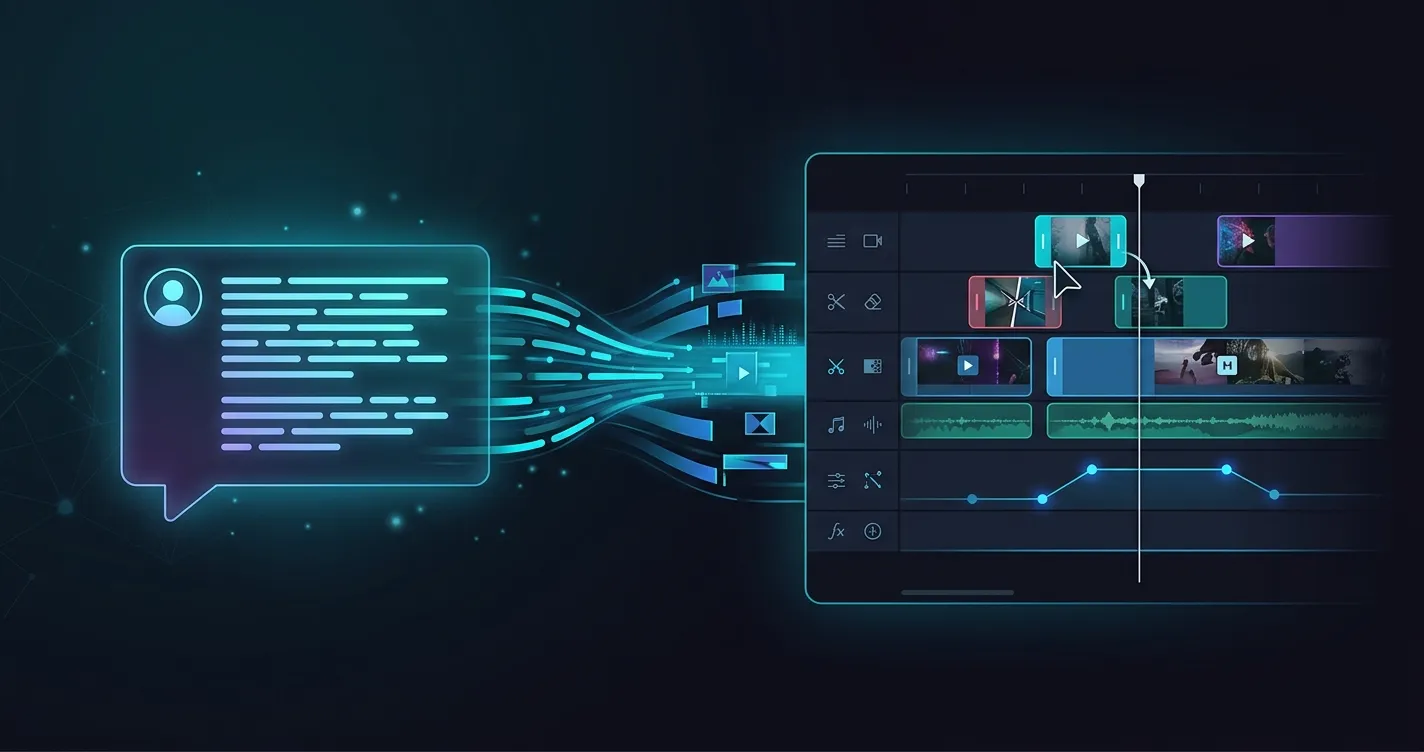
While building a video editor, I noticed something: the editor’s entire state can be fully expressed as a structured description. Which tracks exist, the start and end time of each segment, text content and styling, audio volume and fade curves — everything you see and manipulate in the interface has a direct counterpart in this description.
This means every operation a user performs — dragging a segment, adjusting volume, adding text — is, at its core, a modification to this structured description.
LLMs are naturally good at two things: understanding natural language intent and generating structured data. These line up directly.
This wasn’t a connection I forced. It surfaced naturally while building the editor — once you see the problem clearly, the approach is right there. Looking back, I think this was the most important step: finding a genuinely natural intersection between LLM capability and business need. That matters more than choosing the right framework or model.
Two Paths: Operating the Interface, or Operating the Data
Now that multimodal models give agents visual understanding, there’s an intuitive idea floating around: since agents can “see” the screen, why not just have them operate the UI directly? Click buttons, drag elements, fill in input fields — like a remotely controlled human user.
This path looks general-purpose, but in practice, both efficiency and accuracy are poor. The reason comes down to what an LLM fundamentally is — a language model. Its strongest capability is understanding and generating structured text. Asking it to do visual localization, pixel-level clicking, and drag-distance estimation means relying on its weakest abilities. Every operation requires a screenshot, recognition, decision, and execution — high latency, error-prone, and hard to trace back or correct when something goes wrong.
The other path is to have the agent read and write structured data directly, operating through APIs or function calls. For an LLM, this is an entirely different experience — input is text, output is text, no visual understanding needed, no coordinate calculations. The efficiency and accuracy aren’t in the same league.
A good analogy is AWS. The AWS Web Console is enormously complex — hundreds of products, countless pages and feature modules, with a steep learning curve even for humans. If you asked an agent to complete AWS tasks by operating the Web Console — understanding each page’s layout, finding the right buttons, handling pop-ups and confirmation dialogs — it would be nearly impossible to make reliable. But AWS has a thorough Operations as Code ecosystem (CLI, SDKs, CloudFormation). The same operations done through APIs are efficient, stable, traceable, and reproducible. That’s why agent adoption in the AWS ecosystem runs through APIs, not simulated clicking.
Our video editing agent takes exactly this path. Rather than having the agent operate the editor interface, we let it read and write the underlying structured description directly. For an LLM, understanding structured data and generating a set of modification operations is far more natural than interpreting an editor screenshot and deciding which pixel to click.
There’s a broader judgment behind this choice: rather than trying to make agents mimic how humans operate, find the structured representation of the problem itself, and let the agent work in the domain it’s best at. Simulating human operations looks like a shortcut, but it’s actually asking a machine to do what humans are good at, instead of letting a machine do what machines are good at.
On Architectural Restraint
I initially considered a multi-node workflow — one stage for intent understanding, one for operation generation, one for validation, one for retry. It looked thorough, but I decided against it.
The reason is that when you look at the core problem, it’s a straightforward “read state → understand need → generate modification” loop. Give the agent two tools — read current editor state, submit modifications — and let it decide when to read, when to modify, and how to fix errors. The LLM’s general reasoning ability is sufficient to handle the variations within this loop. I don’t need to make those decisions for it with a hardcoded state machine.
This doesn’t mean architecture doesn’t matter. It means the biggest trap in agent development right now is over-design — the more you try to prescribe behavior paths, the more edge cases you encounter outside those paths. Investing in clear tool definitions and reliable feedback mechanisms has a better return.
This also means the Video Agent is fundamentally a general-purpose agent, just configured with video editing tools. The same architecture applies to any scenario where natural language operates on structured state.
Incremental Patches vs. Full Replacement
There’s a trade-off in tool design worth unpacking: should the agent output the complete state after each change, or only describe “what changed where”?
Choosing incremental patches isn’t just about efficiency — though a video project can contain dozens of assets and timeline elements, making full-state output wasteful. The more important reason is that incremental expression naturally conveys intent: it says “here’s what I’m changing,” not “here’s what the result looks like.”
This brings a cascade of benefits. Validation and error localization become straightforward — apply operations one by one, report whichever fails, and the agent can fix precisely what went wrong. It also aligns naturally with the editor’s undo/redo system — the agent’s modifications and the user’s manual operations are structurally identical at the data level, requiring no additional translation layer.
Incremental patches do have a cost: the LLM needs to precisely describe the path and operation type for each modification. Early on, we did see path errors. But through clear prompt design and per-operation error feedback, this was effectively controlled. Compared to the ambiguity that full replacement introduces, occasional path errors are a far more tractable problem.
When You Validate Determines Feedback Quality
When should you validate? I considered two approaches.
One option: validate only at the end, before syncing to the frontend. Better performance, but if the agent corrupts the state structure at step three, every subsequent step builds on a broken foundation. By the time you get a pile of errors at the end, it’s nearly impossible to trace which step went wrong, and the agent can’t effectively self-correct.
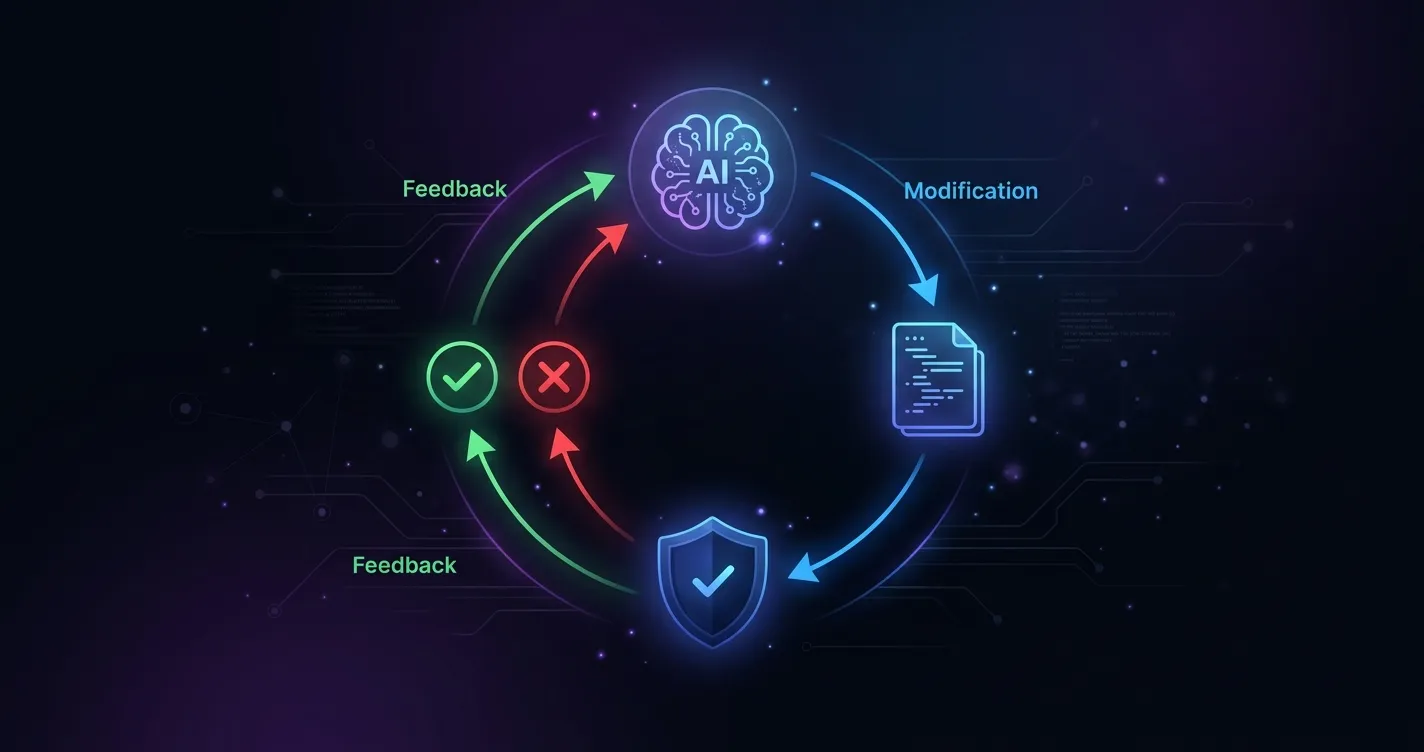
So I chose immediate validation after every modification. Apply operations one by one; on failure, report exactly which operation, what position, what went wrong.
This design had an effect I didn’t anticipate: the agent naturally forms a self-correction loop. It makes a mistake, the system tells it exactly what’s wrong, it fixes and retries. This isn’t a retry mechanism I built — it’s the agent’s natural behavior after observing a tool return an error. In practice, most format and reference errors get corrected within one or two feedback rounds.
This taught me something: for agents, constraints and validation aren’t limitations — they’re infrastructure for reliable work. Clear boundaries and immediate feedback produce better results than vague freedom.
Multimodal Isn’t a Nice-to-Have
A text-only agent has a fundamental limitation: it doesn’t know what’s in the video.
When a user says “delete the part with the blue background,” the agent only sees file names and IDs — it doesn’t know which asset has a blue background. When a user says “the music is too loud,” the agent has no idea what the audio actually sounds like. The user is forced to learn the editor’s terminology — “the third segment on the second track” — to communicate with a tool that’s supposed to free them from that terminology. That’s contradictory.
After introducing multimodal capabilities, interaction quality changed fundamentally. The agent can directly “see” and “hear” the project’s media files. Users can say “the shot where someone is running” instead of looking up segment IDs. The agent can even proactively review the final composite to judge whether the edit matches the user’s expectation.
There’s a practical engineering reality here: media files are typically large and can’t be re-uploaded every conversation. We built cloud-side upload and cache management — the same set of assets only needs to be uploaded once within a time window, with automatic cache validity checks each session. This isn’t a deep design insight, but without solving it, multimodal is unusable in production.
Looking back, multimodal is the experience watershed for this product. Everything else — structured descriptions, incremental patches, validation loops — makes the agent capable of correctly operating on data. But multimodal solves a different-level problem: aligning the agent’s mode of understanding with how humans naturally communicate.
Problems You Only Find by Building
Some issues don’t show up during design. You only hit them by building and using the product.
Reference disambiguation. Users often say “make this bigger” — but what is “this”? In the editor, the user may have mouse-selected an element, but the agent can’t see the mouse. The solution is having the frontend pass the currently selected element’s information to the agent, with the prompt explicitly instructing: when the user says “this,” “current,” or “the selected one,” map it to the selected element. A small detail, but it dramatically improves interaction naturalness.
Schema evolution. The video editor’s features keep evolving, and the structured description changes with them — new element types, adjusted attribute structures. Early on, I put detailed documentation for every field into the prompt. The result was that every schema change required a prompt update, creating high maintenance overhead. I eventually realized: just tell the agent the key structural rules and constraints. It can infer specific fields from the actual data it reads, and the validation layer catches errors. Lesson learned: don’t exhaustively document schema in the prompt — teach the rules, let validation guard the boundary.
Concurrent human-agent editing. While the agent is working, the user might simultaneously edit in the UI, causing state conflicts. The solution is locking the editor interface during agent operation. Not a complex problem, but without solving it, the experience breaks down — the agent modifies something, the user modifies it too, and whose result wins?
These problems were all abstracted into independent middleware — validation, multimodal caching, selection state injection, edit locking — each independently toggleable. The agent’s core logic doesn’t need to know they exist. This is especially useful during debugging and iteration: suspect an issue in one area, turn off the corresponding middleware to isolate it quickly.
Looking Back
Building this project clarified a few things for me.
Video editing sits squarely at the intersection of LLM capability and business need — operations can be structured as incremental modifications, and intent naturally fits natural language expression. The agent doesn’t need to “learn video editing.” It just needs to learn to “correctly modify a structured description.” That’s exactly what LLMs are good at.
But that intersection alone doesn’t automatically produce a reliable product. Reliability comes from the engineering system built around the agent — incremental modifications make intent traceable, per-step validation makes errors localizable, middleware makes concerns separable, and multimodal makes communication alignable.
None of these things are individually complex. But together, they determine whether this agent is an interesting demo or a tool users actually want in their workflow.